
Remember when editing a photo meant spending hours in front of Photoshop? Those days are fading fast. Google Gemini AI is changing the game, turning complex editing workflows into a simple conversation. Whether you want to drape yourself in a stunning silk saree, place you and your partner on a sunset sailboat, or just clean up a messy background, Gemini understands your vision.
But here’s the secret: Gemini is incredibly smart, but it needs direction. The difference between a “meh” result and a jaw-dropping, viral-worthy image comes down to one thing: the prompt. In this guide, we’re going to crack the code. You’ll learn exactly how to use google gemini ai photo tools, understand the anatomy of a perfect prompt, and get dozens of examples you can steal and adapt right now.
What is Google Gemini AI?
So, what is google gemini ai? In plain English, it’s Google’s most advanced family of AI models, designed to understand and generate not just text, but also images, audio, and video. Think of it as a super-smart assistant that lives in your browser and phone, ready to help you create.
Who is gemini ai, you might ask? It’s not a “who” but a “what”—a powerful technology that competes with other top-tier AI models. It’s deeply integrated into Google’s ecosystem, meaning it can pull from live data and understand complex requests better than ever before. For creatives, the latest update (nicknamed “Nano Banana 2”) is a huge leap, allowing for 4K image generation, better texture rendering, and the ability to keep characters consistent across multiple images .
Google Gemini AI for Photos: What It Can and Can’t Do
Before we dive into prompts, let’s set the stage for what’s possible.
Image Generation & Editing
Gemini can create photorealistic images from scratch. But its superpower is editing. You can upload a selfie and ask it to change your outfit, background, or even the lighting. It understands concepts like “golden hour” and “shallow depth of field” .
Style Control and Realism
You have immense control. You can dictate the mood (cinematic, vintage), the lens (85mm portrait), and the texture (fine-grain film, sharp digital). The new model excels at rendering complex details like fabric weave and reflective surfaces .
Safety and Ethics
Google has built strong guardrails. All images generated through Gemini carry a SynthID watermark, an invisible digital signature that identifies it as AI-created, complying with industry standards like C2PA . This promotes transparency and responsible use.
Why This Matters
This technology democratizes creativity. You no longer need a $3,000 camera or a degree in graphic design to produce professional-quality visuals. Whether you’re a small business owner needing product photos or someone who just wants a beautiful profile picture, Gemini puts a creative studio in your pocket.
How to Use Google Gemini AI for Photo Workflows
Ready to get your hands dirty? Here’s a simple, step-by-step guide on how to use google gemini ai photo features effectively.
- Access the Tool: Open the Google Gemini AI app on your mobile device or visit the web interface. Look for the option to upload an image (usually a “+” icon).
- Upload Your Source: If you’re editing an existing photo, upload it. For a pure generation, just start typing your prompt.
- Write Your Prompt: This is where the magic happens. Be as descriptive as possible.
- Generate and Refine: Hit enter. Review the output. Don’t like the lighting? Follow up with a simple refinement: “Make the light warmer, like sunset.”
- Download Your Image: Once you’re happy with the result, you need to manually save it. Gemini doesn’t auto-save to your camera roll, so look for the download or share button to keep your masterpiece .
Mini Checklist for Success:
- Is the face clearly visible in the source image (if editing)?
- Did you specify the lighting (e.g., soft window light, dramatic studio light)?
- Did you include a style keyword (e.g., cinematic, editorial, photorealistic)?
- Did you mention what to avoid (e.g., “avoid plastic skin,” “no text on shirt”)?
Prompt Engineering Fundamentals
Think of prompt engineering like giving a recipe to a master chef. If you just say “make food,” you’ll get something random. But if you list the ingredients and techniques, you’ll get a masterpiece. Here is a foolproof formula to use:
[Subject] + [Setting] + [Lighting] + [Style/Artist] + [Lens/Camera] + [Action] + [Mood] + [Details] + [Negative Prompts]
Fill-in-the-Blank Templates:
- The Classic Portrait: “A photo of a [woman/man/person] wearing a [color/fabric] [outfit]. They are [posing/action] in a [location] with [type of lighting]. Shot on a [50mm/85mm] lens, [cinematic/soft] mood. Keep the original face exactly as in the reference. “
- The Product Shot: “A [product] displayed on a [surface]. Studio lighting, clean white background. The texture of the [material] should be sharp and detailed. High-end catalog aesthetic. Avoid reflections and shadows that are too harsh. “
- The Landscape: “A wide-angle shot of a [location] during [time of day]. The sky is [color/condition], with [elements like fog/mountains/water]. Ultra-realistic, 8K resolution, National Geographic style.”
- The Fashion Edit: “A full-body shot of a model wearing a [description of outfit]. Editorial style, dynamic pose, urban setting with natural daylight. Do not alter the face or body proportions. “
- The Vintage Vibe: “Reimagine this photo as a [70s/90s] film still. Add subtle film grain, soft focus, and natural color fading. Warm, nostalgic mood. Keep the composition and subject identity intact. ”
Prompt Libraries and Examples
Now for the fun part. Here are specific prompts you can copy and paste, categorized by the trends you care about.
Google Gemini AI Photo Editing Prompt Saree
The saree trend is huge right now, allowing users to see themselves in stunning traditional and modern drapes . These prompts focus on cultural respect and textile detail.
- “Hyper-realistic portrait of a woman in a rich, Banarasi silk saree with gold zari work. She is wearing antique gold jewelry and a bindi. Soft, warm studio lighting that highlights the silk’s texture. Keep original face. 4K, fine art portrait.”
- “Convert this photo to show a woman in a flowing, pastel organza saree with floral embroidery. She is standing in a sunlit garden with a gentle breeze moving the fabric. Dreamy, soft focus background, Pinterest aesthetic.”
- “A woman in a classic red and white Bengali cotton saree, with a simple red bindi and ‘alta’ on her hands. Rustic courtyard setting, early morning sunlight. Documentary-style portrait, realistic and candid.”
- “Show this woman in a modern, pre-stitched saree in a bold neon color, paired with a contemporary blouse. Urban rooftop setting at dusk with city lights in the background. Fashion editorial look, shallow depth of field.”
- “A glamorous saree photoshoot look: deep maroon Kanjeevaram silk with temple jewelry. Opulent palace interior with dramatic chandelier lighting. Cinematic, rich colors, ultra-detailed.”
- “Vintage Bollywood heroine aesthetic: a woman in a cream chiffon saree with a polka dot pattern. Soft, smoky eye makeup, standing in the rain with a dreamy expression. Film grain, 90s cinema lighting.”
- “A woman in a handloom cotton saree with a simple border, reading a book on a wooden swing. Sunlight filtering through trees, creating a dappled light effect. Calm, intellectual, and timeless mood.”
- “Create an image of a woman in a glittery sequin saree, perfect for a party. Confetti in the air, warm golden hour light, candid laughter. High-energy, celebratory, Instagram-ready.”
- “A minimalist portrait focusing on the drape of a pure white linen saree. The woman’s back is to the camera, looking over her shoulder. Clean, bright, airy aesthetic. High fashion simplicity.”
- “A bride in an ivory and gold bridal saree with heavy embroidery. She is looking down with a shy smile, soft veil effect, warm glow from ‘diyas’ (lamps) in the background. Romantic and ethereal.”
Google Gemini AI Photo Prompt Couple
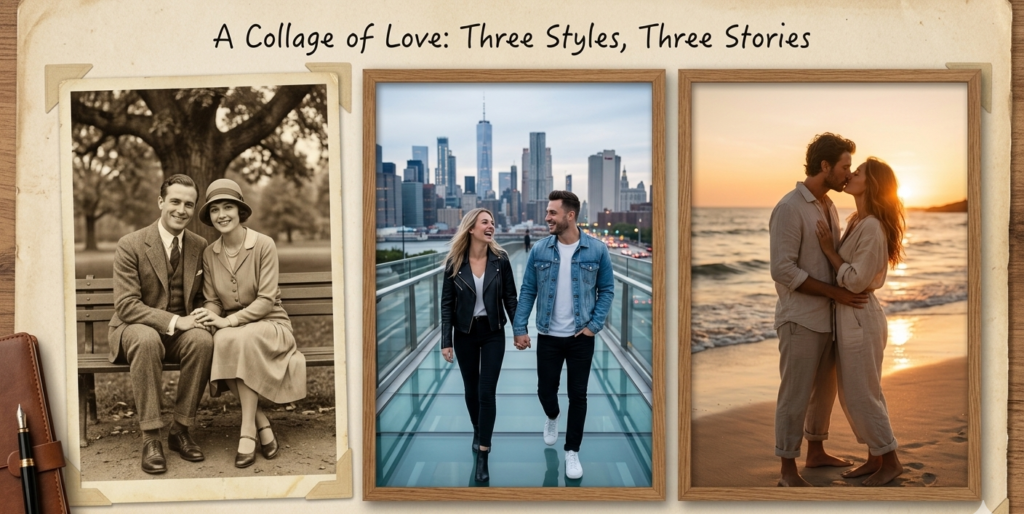
Whether it’s for an anniversary or a fun social media post, these prompts help capture connection .
- “A candid moment of a couple laughing together while walking through a bustling city market at night. The glow from street signs illuminates their faces. Moody, cinematic, authentic.”
- “A couple in a warm embrace on a sailboat at sunset. Golden light reflecting off the water, wind in their hair. Wide cinematic shot, photorealistic. Preserve faces exactly.”
- “A cozy indoor scene: a couple making coffee in a sunlit kitchen on a lazy Sunday morning. Comfortable clothes, soft natural light, candid and intimate lifestyle photography.”
- “A romantic google gemini ai photo prompt couple idea: a couple sharing a pair of headphones and listening to music on a record player in a vintage-themed room. Warm sepia tones, shallow depth of field.”
- “A couple dressed in traditional Indian attire (she in a saree, he in a kurta) standing under the ornate arches of a fort during golden hour. Majestic, regal, and deeply romantic.”
- “A playful couple having a picnic in a field of wildflowers. Bright, vibrant colors, high-angle shot, one person playfully putting a flower behind the other’s ear.”
- “A silhouette of a couple holding hands and standing on a cliff edge, overlooking a vast landscape during a vibrant orange and purple sunset. Epic, serene, and powerful.”
- “A couple dancing in the rain on an empty street at night. The reflection of neon signs on the wet pavement. Straight out of a movie scene, dramatic lighting.”
Google Gemini AI Photo Trending Prompt
Stay ahead of the curve with these current aesthetic trends .
- “Neon Noir: A portrait of a person with dramatic shadows, lit only by neon pink and blue light. Rain-slicked window in the background. Cyberpunk meets classic noir.”
- “Analogue Film 90s: Create a snapshot aesthetic like a photo from a 1990s disposable camera. Slightly overexposed, red-eye flash, candid moment at a birthday party.”
- “Tilt-Shift Miniature: Make this cityscape look like a tiny, detailed model. Blur the top and bottom of the frame, keeping a sharp focus band through the center.”
- “Dutch Golden Age Painting: Reimagine this portrait with the lighting of Rembrandt. Rich, dark background (chiaroscuro), the face illuminated with a warm, focused light, oil painting texture.”
- “Iridescent Holographic: A fashion portrait with light refracting into rainbow colors onto the subject’s face and outfit. Futuristic, ethereal, glossy magazine cover.”
- “Macro Nature: An extreme close-up of a flower with water droplets, with the entire background blurred into a smooth, colorful bokeh. Incredible detail on the stamen and petals.”
- “Vaporwave Sunset: A surreal landscape with a grid-lined ground, classical Greek busts, and a vibrant pink and purple sunset. Glitchy, nostalgic, 80s retro-futurism.”
- “Moody Monochrome: A high-contrast black and white street scene with a single subject in focus. Deep blacks, bright whites, strong geometric shadows. Timeless and artistic.”
- “Fairycore: A dreamy, ethereal portrait of a person in a flowy dress, sitting in a mossy forest with soft sunlight and glowing orbs of light. Magical and whimsical.”
- “Cluttercore Maximalist: A vibrant, busy flat lay of personal items, books, and plants. Rich colors, every inch of the frame filled with interesting, curated objects.”
Google Gemini AI Photo Prompt Download
When you’re ready to save your work, here are prompts optimized for high-resolution output perfect for downloading and sharing.
- “Generate a square, high-resolution image of an abstract liquid gold marble texture. 300 DPI, perfect for a wallpaper or print. No watermarks.”
- “Create a set of 5 seamless, minimalist phone wallpapers with gradients of blue and beige. 4K resolution, download-ready.”
- “A panoramic 16:9 image of a fantasy dragon perched on a mountain, suitable for a desktop wallpaper. Ultra-detailed, 4K.”
- “A collection of transparent PNG stickers in a ‘cozy vibes’ theme: coffee cups, cats, and candles. Clean outlines, white background.”
- “A high-resolution book cover mockup: a blank, hardcover book placed on a rustic wooden table. Soft natural lighting, realistic shadows, space for text.”
Google Gemini AI Photo Free
Curious about testing the waters? Google often provides free tiers or credits. Here are some lightweight prompts to get you started without needing heavy edits .
- “A simple, cute cartoon of a cat wearing a astronaut helmet.”
- “A minimalist line art drawing of a fern plant in a pot.”
- “A watercolor painting of a slice of lemon with leaves. Clean white background.”
- “A 3D render of a shiny, blue gift box with a white ribbon.”
- “An icon set of ‘summer’ themed items: sunglasses, a beach ball, and a flip-flop. Flat vector style.”
Troubleshooting and Quality Checklist
Even with great prompts, things can go wrong.
- Issue: Weird Hands/Fingers. Fix: Add “perfect hands, five fingers, realistic hand anatomy” to your prompt. You can also edit in a follow-up prompt like “fix the left hand.”
- Issue: Plastic, Airbrushed Skin. Fix: Use negative prompts like “avoid plastic skin,” “retain skin pores and natural texture,” “no smoothing.”
- Issue: Artifacts or Blurry Spots. Fix: Ask for “8K resolution, sharp focus, no artifacts.” Try regenerating or specifying “photorealistic.”
- Issue: Subject Doesn’t Look Like Source Photo. Fix: This is critical for editing. Always add: “Keep the original face exactly as in the reference. Do not alter facial features or identity. ”
Pre-Publish Checklist:
- Zoom in: Check edges, hands, and eyes at 100%.
- Watermark Check: Does the image have the invisible SynthID? (You usually can’t see it, but it’s there for traceability).
- Licensing: Do you have the rights to use any faces or brands in the original photo?
FAQs
What is google gemini ai?
Google Gemini AI is Google’s most advanced and capable artificial intelligence model. It’s a multimodal system, meaning it can understand and generate text, code, images, and audio, helping users with creative tasks, research, and complex problem-solving.
Who is gemini ai?
“Gemini” is the name of the AI model family developed by Google. It’s not a person, but a sophisticated piece of software. The name signifies a new generation of AI, following previous models like LaMDA and PaLM 2.
How to use google gemini ai photo editing?
To edit photos, upload an image to the Gemini chat interface (on web or app). Then, type a detailed prompt describing the changes you want, such as changing the background, outfit, lighting, or adding elements. Be specific and use descriptive language for best results. You must manually download the final image to save it .
Can I use images created with Gemini for commercial purposes?
Generally, yes, you can use images generated by Google’s AI tools for commercial purposes, like in marketing materials or product designs. However, you should always review Google’s specific terms of service for the most current information, as AI content laws are still evolving.
Is it ethical to edit photos of people with AI?
Ethical use depends on consent and context. Always get permission from people before editing their photos, especially if you plan to share them publicly. Be transparent when posting AI-generated or heavily edited content, and avoid creating deceptive or harmful images. Google’s SynthID watermarking is a step toward greater transparency .
Conclusion
Google Gemini AI has handed us the keys to a massive creative playground. By moving from vague commands to structured, detailed prompts, you can unlock a level of image quality that was once only accessible to professionals. Whether you’re crafting the perfect google gemini ai saree photo prompt for a cultural post or a cinematic scene for a couple’s anniversary, the power is in your words.
The best way to learn is by doing. So, pick a prompt from this guide, head over to Gemini, and start experimenting. Don’t be afraid to tweak the wording, mix and match styles, and see what happens. Your next viral photo is just one great prompt away.